In short
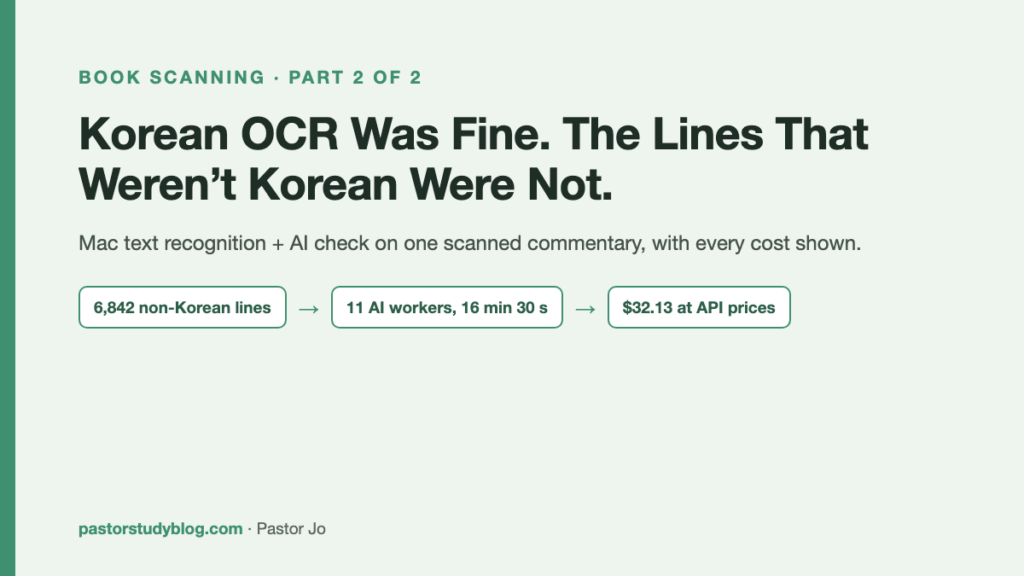
- After scanning a commentary with the app from part 1, the Mac’s built-in text recognition read the Korean almost perfectly: about 10 wrong characters in 10,000. The trouble was the lines that weren’t Korean.
- The Mac can’t read Greek at all. So the Greek was first matched against free published Greek texts (plain code, no AI cost), and the AI read only what was left, from the photos. Of 90 Greek spots in the first 63 pages, 87 ended up as the exact text of a published edition.
- Checking only the non-Korean lines of the whole book took 11 AI workers 16 minutes 30 seconds: $32.13 at API prices, against about $146 for a full check. I’m publishing every cost because I’d like to hear about a cheaper way.
In part 1, the AI was the maker. In one day it helped me build a small app to capture, flatten and read the pages of a commentary, and by evening I had 279 pages in 17 chapters. In this post the AI changes jobs. It becomes the reader and the corrector. I call the whole setup Mac text recognition + AI check.
Same note as last time: no page images and no quoted text from the book. It’s a copyrighted book, scanned for my own study. You get the process and the numbers.
Why a Korean book breaks OCR in odd places
Most of my books are in Korean. A Korean Bible commentary is not only Korean, though. It quotes Greek words and phrases, gives scholars’ names and bibliography in English, and carries numbered footnotes, often on two-column pages. That means short runs of another script inside Korean lines, often in small type inside parentheses.
The Korean came through well. Counted out, there were about 10 wrong characters in 10,000, or 0.1 to 0.2%. Good enough to use as it is. But reading line by line, some lines kept catching my eye: an English name with its parentheses in the wrong place, a footnote number that didn’t match the number in the text, and lines filled with characters I couldn’t read at all. The Korean right next to them was fine. Those unreadable lines were the Greek.
The Mac cannot read Greek at all
The reason was simple. Greek is not among the languages the Mac’s text recognition supports. It reads Korean and English, and turns Greek into junk.
My first thought was to let the AI read all of it. But that would mean the AI reading every Greek quotation in the whole book from start to finish, and the cost and the time would add up. So on 13 October I set the rule:
“Make matching against the original text the main method. Let Claude read only short things, like quotations from ancient versions or lexicons. Anything we can download for free, download and quote exactly. And get the Hebrew Bible ready too.”
We downloaded the Greek New Testament (SBLGNT, CC BY license), the Hebrew Old Testament (WLC, public domain), Swete’s edition of the Septuagint, and texts of the Apostolic Fathers. The matching works like this: guess which passage a garbled line is quoting, start searching around the verses that page is discussing, and widen from there. When it finds the passage, the clean published text replaces the garbled line. This part is plain code, not AI. It cost nothing.
In the first 63 pages there were 90 places with Greek. Matching found 46 of them right away. The AI read the other 44 directly from the photos. Then, wherever the AI’s reading turned up in a published text, we swapped in the published text. In the end, 87 of the 90 were the exact text of a published edition, and only 3 stayed as the AI had read them.
After that, the Greek was searchable inside the PDF. Photos of pages had become a book I could search.
When I trusted the automatic matches
I fell down here. The matching returns a score with each guess, and at first I trusted the scores. Then we checked 357 lines with uncertain scores against the photos, one by one. 201 of them were wrong: a different passage entirely, or a different form. More than half. Lines with confident scores were another story. Of 14 sampled, all 14 were right.
So I made a rule: if the score is unsure, check it against the photo.
There was a sillier trap too. When the search range was too wide, English book titles and people’s names got “matched” to Greek. The first test flagged 397 places, and most were fake. A few similar letters don’t make the same word.
Check everything, or only the lines that aren’t Korean?
Greek wasn’t the only problem. English names, bibliography details, footnote numbers and punctuation needed fixing too. So I ran a small test on a five-page sample, pages 75 to 79. For each page, the AI got strips cut from the photo along with the machine-read text, and corrected all of it. Compared with that corrected version, the machine-read text had these error rates:
- Korean: 0.1 to 0.2%
- Greek: 9 to 17%
- English names and bibliography: 4 to 7%
- Footnote numbers: 9 to 17%
- Punctuation: 8 to 16%
Wrong letters were not what made some pages unreadable, though. The real cause was reading order: on two-column pages, footnotes got scattered in between the main text. That was fixed in code, not by the AI.
The problem was that a full check like this, applied to a whole book, costs too much (the numbers are below). So I decided: “Check only the non-Korean lines, quickly. If the quality falls short, do the full check then.”
A line gets picked if it has two or more Latin or Greek letters in a row, any digit, or a broken ellipsis. On the sample, picking 44% of the lines caught 77% of the places that needed fixing.
Here is how it ran. The picked lines were cut out of the photos and grouped 25 to a sheet, with the machine-read text next to each line, then sent to AI workers (separate Claude sessions running in parallel). Each answer had to be one of two things: “OK,” or the whole corrected line. If an answer’s length was too different from the original line, a person looked at it again.
A whole book in 16 minutes 30 seconds
Across the book, 6,842 lines were picked and 3,414 of them were corrected. Eleven AI workers ran at the same time, and the whole job took 16 minutes 30 seconds.
To see how good that was, I went back to the five-page sample (pages 75 to 79). The baseline is a full check of those pages by Claude Opus, the more careful and more expensive model. Against that Opus version:
- Main text: 17.5% different before the check, 0.9% after
- Footnotes fully intact: 20 of 28 before, 28 of 28 after
The remaining 1% was mostly quotation marks and punctuation on lines that were Korean only, which this check doesn’t look at.
I tripped here too. With eleven workers running at once, they overwrote each other’s working file, because it had the same name for all of them. We compared the results against each worker’s own corrections and confirmed nothing had been lost. The lesson: each worker needs its own desk. Put several at one desk and someone bumps into someone.
What it cost
I did all of this on my Claude subscription and paid nothing extra for it. The whole-book check used about 2.3% of one week’s usage allowance.
The dollar amounts below are what the same work would have cost if paid per use through the API, at the official list prices on 13 October 2026. Per million tokens: Sonnet $2 input and $10 output, Opus $4 and $20, Haiku $0.10 and $0.50.
| Method | Scope and time | Cost (API equivalent) | Result |
|---|---|---|---|
| Full check, Sonnet | 5 pages, 17 min | $2.60, so about $146 for the whole book (about 280 pages) | 0.0% difference in main text from the Opus full check |
| Full check, Opus | 5 pages, 16 min | $4.43 | The baseline. Differed from Sonnet by only 1 or 2 Korean characters, so Sonnet is enough |
| Non-Korean lines only, 11 Sonnet workers in parallel (adopted) | Whole book, 6,842 lines, 16 min 30 s | $32.13 (about $0.005 per line) | Sample: 0.9% main-text difference, footnotes 28 of 28 |
| Greek reading and comparison, Sonnet | 89 lines (reading $0.82, comparison $2.05) | About $0.03 per line | Only the lines the matching couldn’t find |
| Greek lines, Opus | 465 lines, $21.50 | About $0.046 per line | Opus’s list price is twice Sonnet’s. Results were similar, so I switched to Sonnet |
| Haiku (cheapest model) | Test: reading 18 lines, comparing 20 lines | About 1/12 of Sonnet, measured | Read 18 of 18 correctly. When comparing, it put text from other lines into 2 of 20 lines, so it was dropped |
| Source matching, flattening, Mac text recognition | Whole book | $0 | Done by code and built-in Mac features, not AI |
Looking at these numbers, $32 is a lot or a little depending on where you sit. Eleven AI workers checked 6,842 lines of a whole book against the photos in 16 and a half minutes. That much is clear. What I can’t say is that this is the cheapest or the best route.
Where I fell down, all in one place
- I trusted the automatic matches at first. More than half of the lines with uncertain scores were wrong. Anything uncertain has to be checked against the photo.
- A search range that was too wide produced fake matches, “matching” words that had nothing to do with each other.
- Eleven AI workers at once overwrote a file that had the same name for all of them. I hadn’t given each one its own desk. That was my mistake.
- The cheapest model read well, but when comparing it mixed in text from other lines. Cheap can’t do every job.
Questions for you
Some things are still unsolved as I write this. If you have done this kind of work, I would like to hear from you:
- Would it be cheaper to let Haiku do the reading and give Sonnet only the comparison?
- How much would batch processing save, sending many requests together at the discounted rate?
- If I ran the free OCR program Tesseract with its Greek data first, would that shrink the AI’s share? I haven’t installed it or tried it yet.
- Right now the rule picks a bit under half of all lines (44% on the sample). If I narrowed it, how much more would I miss?
- I haven’t touched a Hebrew book yet. In a test, the Mac’s text recognition turned Hebrew into digits and capital letters and flipped it left to right. I haven’t tried it on a real book.
The Korean was read well from the start. The lines that weren’t Korean were mostly put right with published texts and an AI check. But I can’t tell you this is the best way. If you know a cheaper or more accurate route than ours, please tell me in the comments.