In short
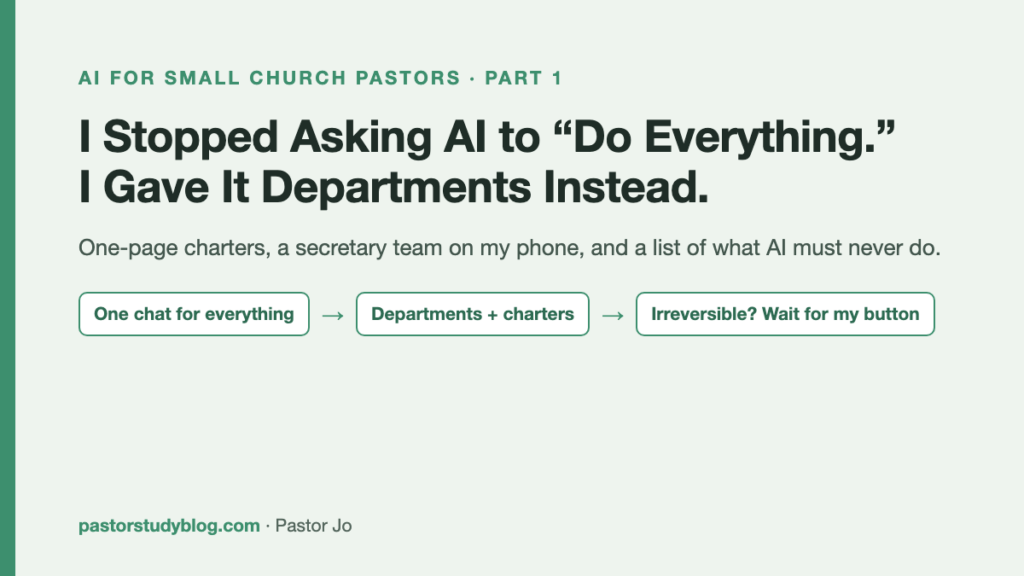
- I stopped running my whole ministry through one AI chat window and split the work into departments — video, bulletin, sound, sermon, finance, blog, and more. Each one has a one-page charter: what it does, how it works, and where it stops.
- The first department I switched on was a secretary team, built only from tools I already open every day: Google Calendar for events, iPhone Reminders for tasks, push notifications for alerts. I jot something into an inbox list, and within 30 minutes it’s on the calendar or in the right department’s list.
- The first rule I wrote wasn’t about what the AI should do. It was about what it must never do on its own — send, publish, delete, pay, touch the sound desk, or handle member information. Those wait until I press a button.
If you pastor a small church, you already know the job. You’re the video editor in the morning, the bulletin designer before lunch, the sound tech in the afternoon, the bookkeeper after that, and the preacher late at night. It’s all your job, and it all lives in the same crowded head.
When I started using AI, I kept the same shape. One chat window for everything. I’d ask it to trim a devotional video, then ask about the weekly offering summary, then ask for a blog draft. At first it felt wonderful. But the longer the conversation ran, the more the AI got confused — the same way I do. It forgot rules we’d agreed on an hour ago. It applied a video rule to the bulletin. It couldn’t tell what was urgent.
So on September 28, 2026, I changed the question. Not “do everything for me,” but “run this department.”
Splitting the ministry into departments
Here is what my AI “headquarters” looks like now:
| Floor | Departments |
|---|---|
| 3rd | Headquarters · Secretary team · Finance · Administration |
| 2nd | Marketing · Video · Blog · Social media |
| 1st | Graphics · Sound & broadcast · Sermon · Facilities · (Annex) outside ministry |
On paper, that’s roughly a twelve-person church staff. In reality, it’s the same AI working in different rooms under different rules. I group conversations by department, and every department shares the same workspace and the same long-term notes. When the video department discovers a pitfall, the blog department can turn it into a post. When the secretary team logs an event, the sermon department sees it.
I split things up for three reasons:
- Rules stop bleeding into each other. The video rule (“split any caption longer than 42 characters”) and the finance rule (“check every number twice and never finalize without the pastor”) come from different worlds. In one room, they collide.
- Every kind of work has its own rhythm. Devotional videos are daily. The bulletin is weekly. The books close monthly. Put different rhythms in a single line and the loudest deadline always wins.
- The line of trust is different for each. The AI can write blog drafts freely. It should not change a single character in the giving ledger without me. Each department needed its own line.
Every department gets a one-page charter
Each time I create a department, I write a one-page charter: what it handles, how it works, and what it must never do. Two examples.
Marketing — “help me present what we already have”
The first line of the charter is something I actually said: I’m not good at presenting what I have. I’ve made a devotional video every weekday for six years, and if you ask me to describe that in one sentence, I freeze.
So the marketing department works like this:
- Don’t invent. Find the real strengths and put them into words. No exaggeration.
- Always offer two or three directions, and let me choose.
- Attach one line explaining why each option works.
That last rule has helped me most. Reading the reasons, I’m slowly learning how to do this myself.
Finance — why it got its own room
I originally planned one combined “finance and administration” department. Writing the charter showed me that wouldn’t work:
- Different rhythm. Money moves with the Sunday count and the monthly close, and nothing is final until it’s been reconciled and I’ve signed off.
- Different sensitivity. Individual giving records are the most delicate data a church holds.
- Different numbers. Administration tracks people. Finance tracks the flow of money.
So finance became its own department, and its charter includes lines like these:
- The AI never logs into a bank. I download statements myself and put them where they belong.
- The AI works with totals only. No individual names or amounts appear in any dashboard, note, or report.
- The master ledger is never edited before a backup exists. First a reconciliation sheet, then we settle any mismatches together, line by line.
Money was the area I was most afraid to let AI near. After writing the charter, it became the department I trust most — because what it’s allowed to do is written down narrowly and clearly.
The first department: a secretary team on my phone
The first department I actually switched on was the secretary team. One condition: no new apps.
I considered building a chat bot. In the end I used three things I already check every day:
| What | Where | Why |
|---|---|---|
| Events | Google Calendar | The whole church calendar already lives there |
| Tasks | iPhone Reminders | Editable on phone and Mac, synced both ways |
| Alerts | The AI app’s push notifications | No bot to build or maintain |
Drop it in the inbox; it’s sorted within 30 minutes
I created a Reminders list called “Secretary Inbox.” Walking to the car, sitting in a hospital parking lot before a visit, whenever something comes to mind — I toss it in:
- “Presbytery meeting Thursday 3pm”
- “Thanksgiving announcement in next week’s bulletin”
- “Buy batteries for the wireless mics”
During the day, the secretary team checks the inbox every 30 minutes. Anything with a date and time goes to the calendar. Tasks move into department lists — Blog, Sermon & Care, Sound, Admin, Marketing, Video & Social. I never have to file anything. I just write it down.
A 7 a.m. briefing that knows my rules
At 7 every morning, the secretary team sends one summary to my phone: today’s schedule, tasks by department, and anything close to a deadline.
The part I worked hardest on was putting my own standards into the briefing. For example, I publish five devotional videos a week. So when the queue gets thin, the first line reads:
Only 4 devotional episodes are scheduled — make at least 2 today.
A generic assistant would say, “You have three events today.” What I needed was an assistant that warns me by the standards I set. That one line changed my Monday mornings.
Two traps I hit along the way
- Reading Reminders one item at a time took over 90 seconds. A list with lots of completed items gets slower with every property read. Reading by property, in one batch, brought it down to a few seconds.
- A due date alone doesn’t make a reminder ring. In Reminders, the due date and the alert are separate. Tasks with only a due date sat silently in the list. Now every task gets both.
The second trap scares me more, because everything looked fine. The task was right there. It just never spoke up. Being on the list and actually reminding you are two different things.
A dashboard, so I can see every room at once
Splitting into departments created a new problem almost immediately: I couldn’t see what each department was doing without opening each conversation.
So I built a simple web dashboard. Every department is a small room on a pixel-art floor plan, and the little character in each room shows its status — working, waiting on me, idle, or up against a deadline. From my phone’s home screen I can:
- see each department’s current items and due times,
- send a new request to a department,
- and, most importantly, see a section called “Waiting on the pastor.”
That last section is where the safety design lives, which brings me to the most important part of this post.
What I wrote first: what the AI will not do
Once the departments and the secretary team were running, the AI could suddenly do a lot — edit my calendar, move reminders, write drafts, upload documents. So before listing what to hand over, I listed what not to hand over.
| Category | Examples | What the AI does |
|---|---|---|
| Safe to do now | Add or edit calendar events, create tasks, look things up, summarize, write drafts | Does it and reports back |
| Long jobs | Video editing, long articles, design | Logs it as a department task and continues later |
| Hard to undo, or leaves the building | Sending texts or email, publishing or scheduling posts, uploading video, deleting, payments, the sound desk, broadcast gear during worship, member data, giving amounts | Doesn’t do it. Posts it to “Waiting on the pastor” as “Before I do this, I’m asking: …” |
The test is simple. If it goes wrong, can I undo it with my own hands? And does it leave the church? A wrong calendar entry can be deleted. A text message to a church member cannot be unsent.
Anything waiting on me moves only when I press Go, Hold, or Don’t on my phone. And I deliberately added one more rule: typed permission doesn’t count. If I type “it’s fine, just send it” into a request, the AI still routes it back to the waiting list. I’ll come back to this in a later post in this series. The short version: a button is proof I looked at the thing before approving it.
Member names, phone numbers, addresses, birthdays, and individual giving records appear nowhere — not in the AI’s notes, not on the dashboard, not in the morning briefing, and not in this post.
What changed after one day
- My head got quieter. When something comes to mind, I drop it in the inbox and forget it. It finds its place.
- The AI got less confused. With a charter per department, the same question gets answered by the right standard.
- My own job became clear. I look at “Waiting on the pastor.” Everything else is already moving.
Next time
The dashboard made it easy to send requests from my phone. So I sent more. And one afternoon, a single stuck job held up every request behind it for over half an hour. The next post in this series is about that day — and about the front desk and three work crews I built so it wouldn’t happen again.
What I took away
“Run this department” beats “do everything.” Work with different rules and rhythms needs different rooms, or it all interferes.
Attach to tools you already use. A new app lasts three days. Your calendar and your reminders you open every morning anyway.
Write down what you won’t hand over, first. Can I undo it? Does it leave the church? Those two questions draw the line.
Approval should be a trace of someone actually looking. Text drifts in from anywhere. A button press is a decision.