In short
- Aligning two cameras by their audio only aligns the files. Their sound matches because they hear the same room; that tells you when each recording started, not when each image actually arrived.
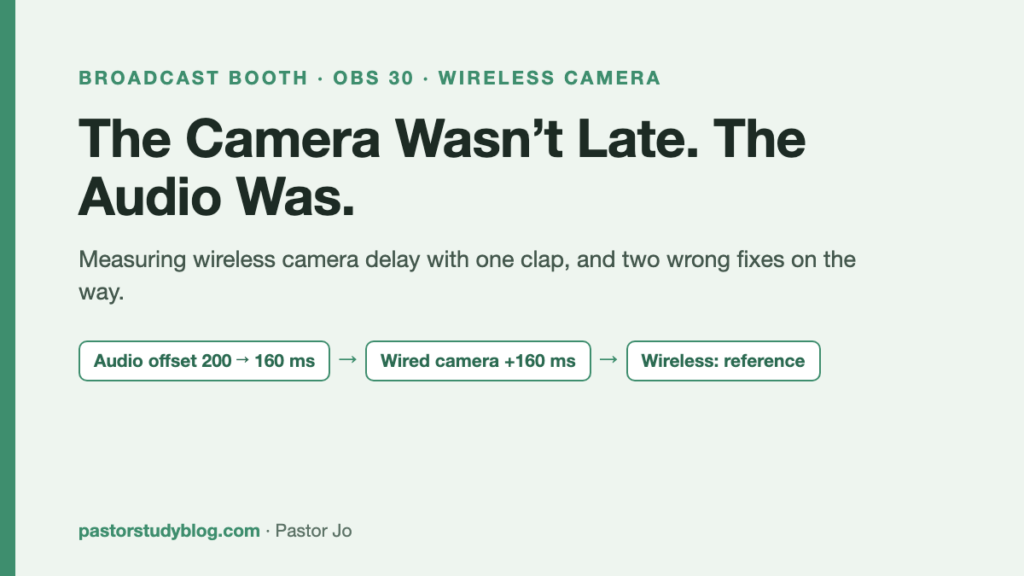
- Measured by subject motion instead, the wireless camera ran about 4 frames (0.16s) behind. Then a clap test measured it in absolute terms and flipped the conclusion: the late one was the audio.
- The cause was a 200ms audio offset I had eyeballed months before. Final values: audio 160ms, wired camera render delay 160ms. After the fix: wired 0-1 frames, wireless 0.
We record Sunday services with two cameras: a wired close-up on the platform, and a Hollyland wireless wide shot from the back. Something kept bothering me in the edit. Frame by frame it looked fine, but cutting between them felt like a small slip every time.
“It looks aligned, but I don’t think it actually is.”
Turning that feeling into a number took a day, and I got the prescription wrong twice. The wrong turns are the useful part, so they are the body of this post.
First attempt: align by sound, and why that’s a trap
The usual way to line up two camera files is audio. Overlay the waveforms, find the best match. Editing software does it for you with one click.
It reported a 1-frame difference. Which reads as “basically aligned.”
That was the trap. Both cameras record the same sound in the same room. Align on sound and of course they match. What that measures is when each recording started — not how late each camera’s image arrives relative to the event in front of it.
The whole problem with a wireless camera is that its image is delayed in transmission. Aligning by sound removes that delay from what you are measuring. You align it away, then conclude it isn’t there.
Second attempt: measure by subject motion
So I threw out the audio and compared image only. For each frame I extracted how much the subject moved, then slid the two curves against each other to find the best overlap — cross-correlation.
The answer: about 4 frames, which at 23.976fps is 0.16 seconds. The wireless camera was that far behind.
To see whether it was trustworthy I re-ran it on a different stretch of the service. The worship segment and the sermon segment gave the same value. Different music, different kinds of movement, same number — that is a property of the equipment, not of the clip.
Wrong prescription number one
At this point I recommended “delay the audio by 160ms.”
Wrong. The 4-frame measurement was correct, but that number alone cannot tell you what to align to what. I knew the relative difference between two cameras and had never measured where the sound actually sat.
Third attempt: measure absolutely, with a clap
To get an absolute number you need a reference — one event that creates sound and image at the same instant.
A clap. Stand in front of the camera and clap once. The frame where the hands meet and the point where the sound begins are the same moment in reality. Count how far apart they land in the file, and you get each camera’s lead or lag against the sound, in absolute terms.
The result inverted everything.
The late one was not a camera. It was the audio. The wired camera’s image was 4 to 5 frames ahead of the sound. The wireless camera wasn’t slow; relative to the wired camera, the sound was dragging.
The cause: a 200ms offset already sitting there
Why was the audio late? I opened the OBS settings and found an audio sync offset of 200ms.
I had put it there. At some point the sync felt off, so I eyeballed a number and typed it in. I never measured it, never wrote it down, and forgot it existed.
So the sequence is: a value I added to fix sync → broke the sync → and sent me hunting for a day, months later. I was diagnosing a problem I had created.
Wrong prescription number two
After the clap test I recommended “200ms on camera 1, 40ms on camera 4, audio at 0.”
Also wrong — because I calculated it without accounting for the 200ms that was already there. “Audio at 0” is ambiguous in exactly the wrong way: does it mean subtract the existing 200, or add nothing to what’s there?
The lesson is small and expensive. Read the values that are already in the system before you change them. Calculate as if the settings start at zero and your arithmetic collides with whatever past-you left behind.
Final: align to the latest, by the smallest amount
The third calculation started from a principle instead of a number.
You cannot reduce a delay, only add one. If wireless transmission takes 0.16 seconds, nothing makes it arrive sooner. So the only way to sync is to make everything else wait for the latest arrival — and to add no more waiting than necessary, because every added millisecond pushes the whole livestream back.
The latest arrival was the wireless camera at 160ms. So:
| Target | Before | After | Why |
|---|---|---|---|
| Audio offset | 200ms | 160ms | replace the guessed value with the measured one |
| Wired camera render delay | 0 | 160ms | make it wait for the wireless |
| Wireless camera | 0 | 0 (unchanged) | it is the reference; don’t touch it |
Everything converged on 160ms. Not a coincidence — once you align to the slowest device, its number becomes the standard.
Verification: clap again
After the fix I clapped again. Declaring it fixed without measuring would repeat the exact mistake this post is about.
| Camera | Before | After |
|---|---|---|
| Wired close-up | 4-5 frames ahead of sound | 0-1 frames |
| Wireless wide | — | 0 frames |
Aligned to the frame, at least in these test claps on 28 September. I will confirm it holds through a real Sunday service before I call it settled.
The checking method, in case it’s useful: lay the frames around the clap out as a 16-cell tile, where cell 13 is the frame the sound starts on. When the cell with the hands meeting sits in the same place as cell 13, you’re aligned. Put the before and after tiles side by side and you can see it without counting.
What I took away
Aligning by sound aligns the files, not the cameras. Both cameras hear the same room, so audio alignment always succeeds. It is a method that deletes the delay you were trying to measure.
Absolute values come from a clap. Relative offset you can get by comparing two files. “Is this ahead of or behind the sound?” requires an event that produces both at once. One clap is that reference, and it costs nothing.
Read the current values before you change them. Both of my wrong prescriptions came from this. I assumed the settings started at zero; a 200ms offset from months earlier was sitting in one of them.
A value you eyeballed will come back. It probably did seem better at the time. With no record, months later you don’t even know it’s there — and it returns as a symptom that sends you digging in the wrong place for days. If you must type in a number you didn’t measure, at least write down that you did.
Align to the latest, by the minimum. Delay can only be added. So the slowest device sets the standard, and every value you add should be the smallest one that works.
More from the broadcast booth
- Switching OBS cameras automatically from ProPresenter slide labels
- My bridge said “waiting to reconnect.” It was only waiting (the render delay filter from this post shows up there as a suspect)
- Waking the church broadcast PC from the office